|
XP-Theme


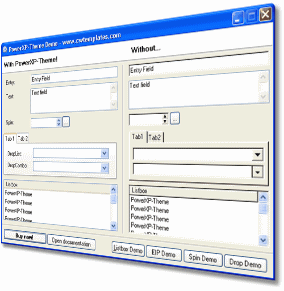
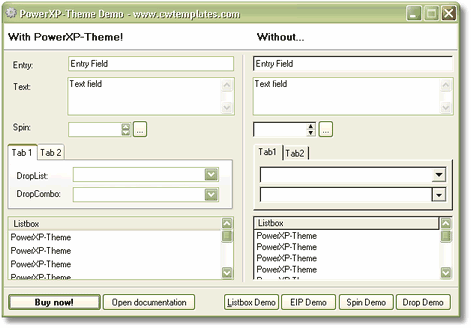
Give your Clarion apps a modern, up-to-date XP/Vista/Win7 look and feel in minutes.
Just drop in a global template, and voila! All the windows in all your procedures will be themed
with the XP/Vista/Windows7 look. Give your Clarion apps a modern makeover while the coffee brews!
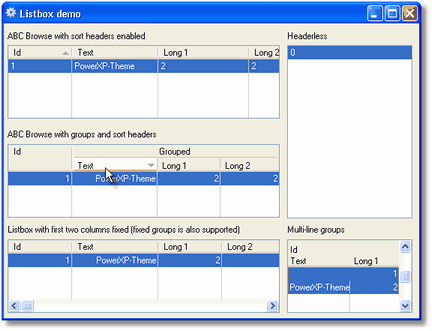
- Will theme entries, listboxes, droplists, dropcomobos, spinboxes, tab sheets and edit-in-place controls
- Will theme AppFrame client area color (Windows XP/Office 2003)
- Will theme Windows background color
- Can exclude any controls from theming
- All Clarion source code - no black boxes
NOTE: Clarion 7 and later themes most Windows controls nicely, so XP-Theme is not be needed with Clarion 7 and later apps.
HOWEVER, if you are also using PowerToolbar, or Taskpanel
you need XP-Theme for them to work properly.
Global and Procedure Templates
Simply add the global template to your application, re-compile and your work is done.
To modify control settings on windows, use the procedure override template.
And more...
XP-Theme comes with a 25 page users guide in PDF format. You can download the documentation for detailed information
about how the product can be used.
How to buy
XPTheme is included in the Icetips
Gold Subscription for $299 and also in the
Silver Subscription for $99.
XPTheme can also be purchased separately for just $49.
Compatibility
You can use XP-Theme with Clarion 6 - 10 in both ABC and Clarion template chains.
Please note, Clarion 7 and later theme all Windows controls nicely, so XP-Theme is not needed with applications in Clarion 7 or newer.
HOWEVER, if you are also using PowerToolbar, or Taskpanel
you need XP-Theme for them to work properly, even in Clarion 7 and newer.
|
| INFORMATION |
|---|
| Updated: 7-Jun-2021 |
| Clarion 6.0-6.3 | Yes |
| Clarion 7 - 10 | Yes |
| ABC | Yes |
| Legacy | Yes |
| Multi-DLL | Yes |
| Source code | Yes |
| Documentation | 25 pgs |
|
12 Files Available for Download for Icetips XP-Theme
| File Date |
Description |
Size |
|
| 2021-06-07 |
Icetips XP-Theme 2021.06.147
Build 2021.06.147. Compatible with Clarion 6.0 - 6.3, Clarion 7.0 - 11.1
Installer updated for Clarion 11.1
Note that for Clarion 7-11.1 XP-Theme is only needed for supporting Taskpanel. If you are not using Taskpanel in Clarion 7-11.1, you do not need XP-Theme! PowerToolbar is no longer dependent on XPTheme.
See Version history documentation for more information.
|
2,212,968 |
Download |
| 2018-10-14 |
Icetips XP-Theme 2018.10.146
Build 2018.10.146. Compatible with Clarion 6.0 - 6.3, Clarion 7.0 - 11.
Installer updated for Clarion 11
Note that for Clarion 7-11 XP-Theme is only needed for supporting Taskpanel. If you are not using Taskpanel in Clarion 7-11, you do not need XP-Theme! PowerToolbar is no longer dependent on XPTheme.
See Version history documentation for more information.
|
2,204,288 |
Download |
| 2014-05-14 |
Icetips XP-Theme 3.0.138
Build 3.0.138. Compatible with Clarion 6.0 - 6.3, Clarion 7.0 - 9.1.
Installer updated for Clarion 9.1
Note that for Clarion 7-9.1 XP-Theme is only needed for supporting Taskpanel. If you are not using Taskpanel in Clarion 7-9.1, you do not need XP-Theme! PowerToolbar is no longer dependent on XPTheme.
See Version history documentation for more information.
|
2,189,152 |
Download |
| 2013-10-03 |
Icetips XP-Theme 3.0.136
Build 3.0.136. Compatible with Clarion 6.0 - 6.3, Clarion 7.0 - 9.0.
Old files got into build 3.0.135. All updated now.
Note that for Clarion 7-9 XP-Theme is only needed for supporting Taskpanel. If you are not using Taskpanel in Clarion 7-9, you do not need XP-Theme! PowerToolbar is no longer dependent on XPTheme.
See Version history documentation for more information.
|
2,064,024 |
Download |
| 2013-08-06 |
Icetips XP-Theme 3.0.135 (Clarion 9)
Build 3.0.135. Compatible with Clarion 6.0 - 6.3, Clarion 7.0 - 9.0.
Installer is now compatible with Clarion 9.0.
Note that for Clarion 7-9 XP-Theme is only needed for supporting Taskpanel. If you are not using Taskpanel in Clarion 7-9, you do not need XP-Theme! PowerToolbar is no longer dependent on XPTheme.
See Version history documentation for more information.
|
2,037,760 |
Download |
| 2011-07-28 |
Icetips XP-Theme 3.0.133
Build 3.0.133. Compatible with Clarion 6.0 - 6.3, Clarion 7 and Clarion 8.
Installer is now compatible with Clarion 8.0. Several fixes for listbox headers implemented
Note that for Clarion 7/8 XP-Theme is only needed for supporting Power Toolbar. If you are not using Power Toolbar in Clarion 7/8, you do not need XP-Theme!
See Version history documentation for more information.
|
1,983,504 |
Download |
| 2010-12-21 |
Icetips XP-Theme 3.0.124
Build 3.0.124. Compatible with Clarion 6.0 - 6.3 and Clarion 7.0 - 7.3.
Installer is now compatible with Clarion 7.3
Note that for Clarion 7 XP-Theme is only needed for supporting Power Toolbar. If you are not using Power Toolbar in Clarion 7, you do not need XP-Theme!
See Version history documentation for more information.
|
1,949,416 |
Download |
| 2010-06-06 |
Icetips XP-Theme 3.0.122
Version 3.0.122
Compatible with Clarion 6.0 - 6.3 and Clarion 7.0 - 7.2. Note that for Clarion 7 XP-Theme is only needed for supporting Power Toolbar. If you are not using Power Toolbar in Clarion 7, you do not need XP-Theme!
|
1,938,960 |
Download |
| 2010-03-15 |
Icetips XP-Theme 3.0.118
Version 3.0.118
Compatible with Clarion 6.0 - 6.3 and Clarion 7. Note that for Clarion 7 XP-Theme is only needed for supporting Power Toolbar. If you are not using Power Toolbar in Clarion 7, you do not need XP-Theme!
|
1,670,528 |
Download |
| 2009-05-19 |
Icetips XP-Theme 3.0.113
Version 3.0.113
Compatible with Clarion 6.0 - 6.3 and Clarion 7. Note that for Clarion 7 XP-Theme is only needed for supporting Power Toolbar. If you are not using Power Toolbar in Clarion 7, you do not need XP-Theme!
|
1,617,168 |
Download |
| 2009-05-14 |
Icetips XP-Theme 3.0.110
Version 3.0.110
Compatible with Clarion 6.0 - 6.3 and Clarion 7. Note that for Clarion 7 XP-Theme is only needed for supporting Power Toolbar. If you are not using Power Toolbar in Clarion 7, you do not need XP-Theme!
|
1,607,624 |
Download |
| 2009-04-15 |
Icetips XP-Theme 3.0.109
Version 3.0.106
Compatible with Clarion Clarion 6.0 - 6.3 and Clarion 7. Note that for Clarion 7 XP-Theme is only needed for supporting Power Toolbar. If you are not using Power Toolbar in Clarion 7, you do not need XP-Theme!
|
1,605,736 |
Download |
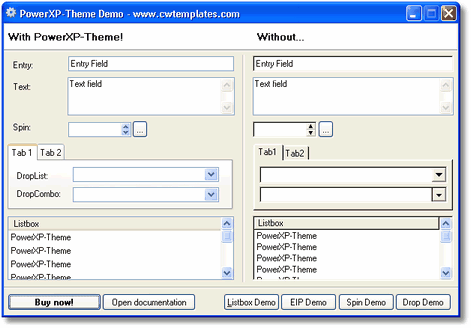
Default Windows XP Theme
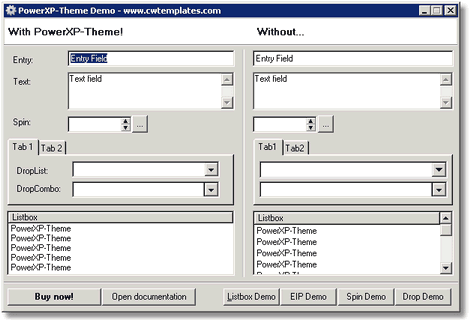
Classic Windows XP Theme (no theme)
Silver Windows XP Theme
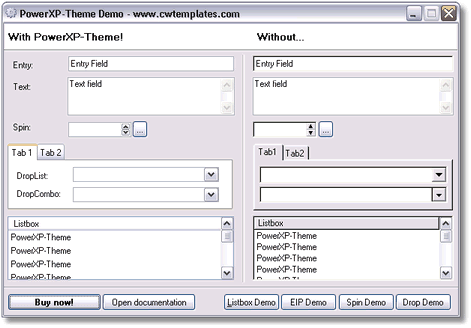
Olivegreen Windows XP Theme
Listboxes Blue Windows XP Theme
|
|
|