|
Magic Locks


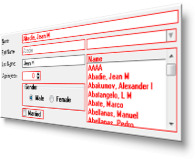
Lock or unlock any control on a Clarion form (including view-only forms), and set colors and fonts on controls
Icetips Magic Locks make it easy to limit what kind of access users have to controls on regular and view-only forms.
You can lock any type of control so it is completely inaccessible, or unlock controls on a view-only form.
You can allow access to certain controls and allow the data to be saved. And you can
change color and font settings to indicate read-only/change availability.
- Use in any Clarion form, including view-only forms
- Lock/unlock any type of control: entry fields, buttons, checkboxes, radio buttons, drops, RTF controls, etc.
- Allow user access to specific controls
- Set visual styles to indicate locked controls, such as border colors or font styles
- Specify controls to include or exclude
- Override settings for specific controls
- Optionally color prompts and strings
- All Clarion source code - no black boxes
Locking controls
The Magic Locks can lock down checkboxes, radio buttons, entry fields, buttons, text,
RTF controls - any type of control that you want to lock. By default it locks
everything if the form is called in ViewOnly mode.
The Magic Locks can also allow updates of certain fields in View mode,
which is not possible with regular View mode.
This allows users to update certain fields
even if the rest of the form is completely locked.
You can set a form to
Change mode and open up some fields that you may want the user to be able to
enter data into, for example a text field with comments. It can also be used
with forms in Insert and Change mode when the locking is conditional.
Class, Template & Settings
The Magic Locks consist of a set of Classes and templates that enhance the View Only forms
to better indicate read-only controls. It also locks checkboxes, radio buttons,
drop down controls, etc. which normally can not be set as read-only.
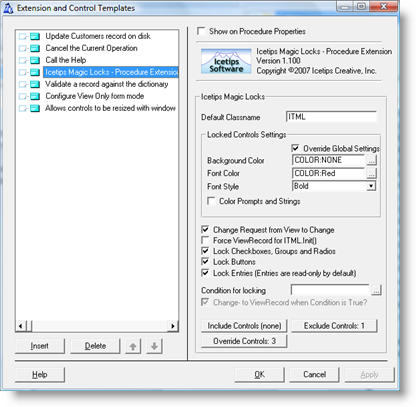
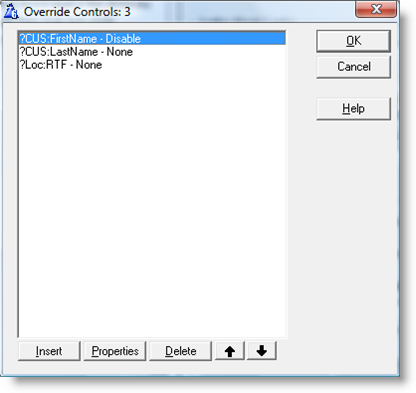
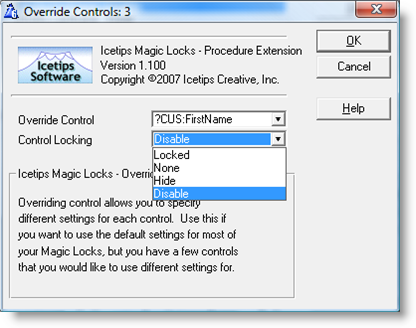
Settings for each control can be overridden in the procedure template.
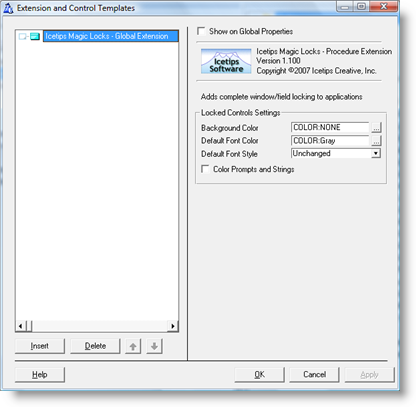
Background color, font color and font style for locked controls can be set with a global
template and overridden in a procedure template.
And more...
There is a video showing how to use Magic Locks, a demo program, and a 16 page PDF users guide and class reference.
You can download the documentation for detailed information
about how the product can be used, as well as download the video and demo program.
How to buy
Magic Locks are included in the Icetips
Gold Subscription for $299 and also in the
Silver Subscription for $99.
Magic Locks can also be purchased separately for just $49.
Compatibility
You can use the Magic Locks with Clarion 4 - 10 in the ABC template chain, and with
Clarion 6 Legacy applications by turning on the use of ABC classes.
The Magic Entries can be used in any form procedure, including view-only forms.
|
|
15 Files Available for Download for Icetips Magic Locks
| File Date |
Description |
Size |
|
| 2021-06-07 |
Icetips Magic Locks 2021.06.380 (Clarion 11.1)
Build 2021.06.3809. Compatible with Clarion 6.0 - 6.3, Clarion 7.0 - 11.1
Release for Clarion 11.1
|
3,099,632 |
Download |
| 2018-10-14 |
Icetips Magic Locks 2018.10.379 (Clarion 11)
Build 2018.10.379. Compatible with Clarion 6.0 - 6.3, Clarion 7.0 - 11
Release for Clarion 11
|
3,090,912 |
Download |
| 2015-02-24 |
Icetips Magic Locks 2.1.374 (Clarion 10)
Build 2.1.374. Compatible with Clarion 6.0 - 6.3, Clarion 7.0 - 10
Pre-release for Clarion 10
|
3,077,704 |
Download |
| 2014-01-28 |
Icetips Magic Locks 2.1.373 (Clarion 9.1)
Build 2.1.373. Compatible with Clarion 6.0 - 6.3, Clarion 7.0 - 9.1
Installer is now Clarion 9.1 compatible.
|
2,801,544 |
Download |
| 2013-08-03 |
Icetips Magic Locks 2.1.371 (Clarion 9)
Build 2.1.371. Compatible with Clarion 6.0 - 6.3, Clarion 7.0 - 9.0
Installer is now Clarion 9 compatible.
|
2,794,248 |
Download |
| 2011-06-07 |
Icetips Magic Locks 2.1.369
Build 2.1.369. Compatible with Clarion 6.0 - 6.3, Clarion 7.0 - 7.3 and Clarion 8.0
Installer fix.
|
2,711,592 |
Download |
| 2011-05-04 |
Icetips Magic Locks 2.1.362
Build 2.1.362. Compatible with Clarion 6.0 - 6.3, Clarion 7.0 - 7.3 and Clarion 8.0
Installer is now compatible with Clarion 8.0
|
2,711,680 |
Download |
| 2010-12-21 |
Icetips Magic Locks 2.1.361
Build 2.1.361. Compatible with Clarion 6.0 - 6.3 and Clarion 7.0 - 7.3
Installer is now compatible with Clarion 7.3
|
2,862,856 |
Download |
| 2010-06-06 |
Icetips Magic Locks 2.1.359
Version 2.1.359. Compatible with Clarion 6.0 - 6.3 and Clarion 7.0 - 7.2
|
2,856,776 |
Download |
| 2010-03-17 |
Icetips Magic Locks 2.1.355
Version 2.1.355. Compatible with Clarion 6.0 - 6.3 and Clarion 7.x. Fixes a .inc file for Clarion 7.x that was accidentally included in 2.1.354!
|
2,587,352 |
Download |
| 2010-03-15 |
Icetips Magic Locks 2.1.354
Version 2.1.354. Compatible with Clarion 6.0 - 6.3 and Clarion 7.x
|
2,586,616 |
Download |
| 2009-04-15 |
Icetips Magic Locks 2.1.350
Version 2.1.350. Compatible with Clarion 6.0 - 6.3 and Clarion 7
|
2,542,904 |
Download |
| 2007-11-14 |
Icetips Magic Locks Introduction Video
This is an introduction video for Icetips Magic Locks 1.1
|
6,142,536 |
Download |
| 2007-09-29 |
Icetips Magic Locks 1.1 Documentation
16 page PDF documentation for the Icetips Magic Locks version 1.1
|
264,092 |
Download |
| 2007-09-29 |
Icetips Magic Locks demo, version 1.1
This demo install shows what can be done with our new Icetips Magic Locks. This demo uses Icetips Magic Locks version 1.1 and should work flawlessly on Windows Vista. The demo comes with an introduction video with information about how to use the Magic Locks.
|
7,726,336 |
Download |
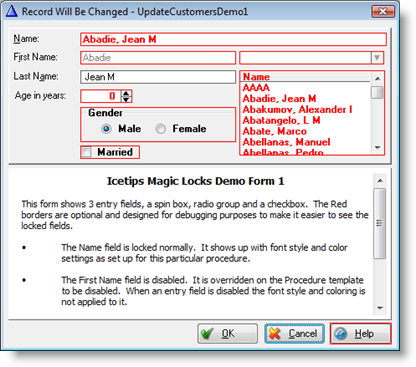
Update form locked with Magic Locks, using red borders to show locked controls
Global Extension
Procedure Extension:
Main
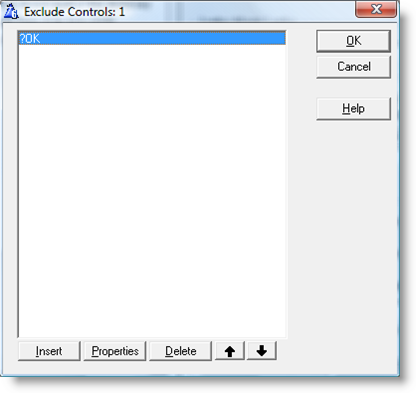
Excluding controls
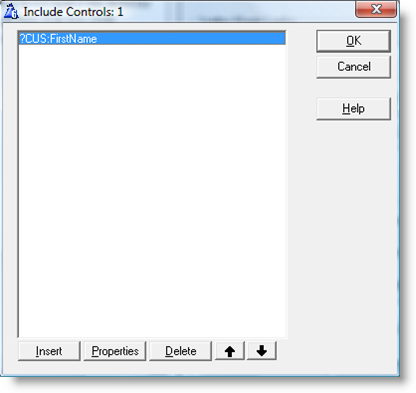
Including controls
Override controls
Override control properties
|
|
|