|
Magic Buttons


 > >
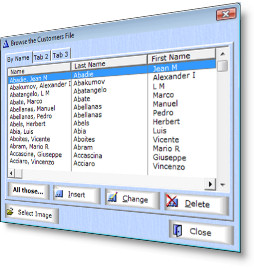
Make your buttons look amazing! Use any graphic image as a background for buttons in your Clarion app.
Using your graphics or ours, add style to your buttons and give your program a quick, easy makeover.
- Use any image as a background for your buttons
- Use one image for all buttons, or...
- Use different images on different buttons
- Include or exclude buttons as needed
- Can still have icons on buttons, if wanted
- Can override button settings
- No change in functionality of buttons
- All Clarion source code - no black boxes
- Dozens of button and wallpaper images available (see downloads, below)
- For a standard XP and Vista/Win7 themed look, check out Icetips' XP Theme
Class, Templates, Images
The Magic Buttons consist of a class and templates. A Global template sets up
standard settings to use and a procedure template is added to the procedures where
you want to use the Magic Buttons. You decide what image you want to use for
your buttons. You can override the settings for individual buttons or exclude
certain buttons if you like.
And more...
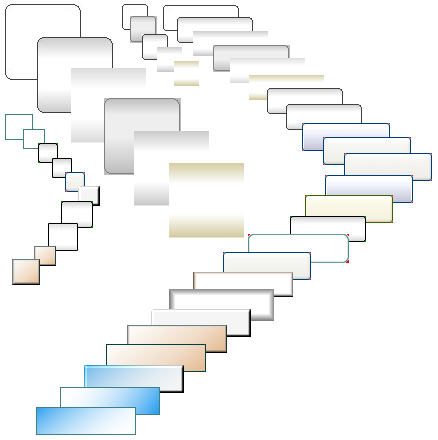
You get a selection of button images and backgrounds with the Magic Buttons
and a button collection with about 65 images is available for download for registered
users. The Magic Buttons come with a 31 page users guide and class reference
in PDF format. You can download the documentation for detailed information
about how the product can be used, as well as download a demo program (below).
How to buy
Magic Buttons are included in the Icetips
Gold Subscription for $299 and also in the
Silver Subscription for $99.
Magic Buttons can also be purchased separately for just $49.
Compatibility
You can use the Magic Buttons with Clarion 4 - 10 in both ABC and Clarion
template chains.
The template can be applied to any kind of procedures
that have buttons.
|
| INFORMATION |
|---|
| Updated: 7-Jun-2021 |
| Clarion 4.0-6.3 | Yes |
| Clarion 7 - 10 | Yes |
| ABC | Yes |
| Legacy | Yes |
| Multi-DLL | Yes |
| Source code | Yes |
| Demo program | Yes |
| Documentation | 31 pgs (PDF) |
|
15 Files Available for Download for Icetips Magic Buttons
| File Date |
Description |
Size |
|
| 2021-06-07 |
Icetips Magic Buttons 2021.06.376 (Clarion 11.1)
Build 2021.06.376. Compatible with Clarion 5.5, Clarion 6.0 - 6.3, Clarion 7.0 - 11.1
Release for Clarion 11.1
|
7,408,912 |
Download |
| 2018-10-14 |
Icetips Magic Buttons 2018.10.375 (Clarion 11)
Build 2018.10.375. Compatible with Clarion 5.5, Clarion 6.0 - 6.3, Clarion 7.0 - 11
Release for Clarion 11
|
7,399,840 |
Download |
| 2015-02-24 |
Icetips Magic Buttons 2.0.368 (Clarion 10)
Build 2.0.368. Compatible with Clarion 5.5, Clarion 6.0 - 6.3, Clarion 7.0 - 10
Pre-release for Clarion 10
|
7,382,544 |
Download |
| 2014-01-28 |
Icetips Magic Buttons 2.0.365 (Clarion 9.1)
Build 2.0.365. Compatible with Clarion 5.5, Clarion 6.0 - 6.3, Clarion 7.0 - 9.1
Installer is now Clarion 9.1 compatible.
|
7,106,368 |
Download |
| 2013-08-01 |
Icetips Magic Buttons 2.0.364 (Clarion 9)
Build 2.0.364. Compatible with Clarion 5.5, Clarion 6.0 - 6.3, Clarion 7.0 - 9.0
Installer is now Clarion 9 compatible.
|
7,099,072 |
Download |
| 2011-05-04 |
Icetips Magic Buttons 2.0.355
Build 2.0.355. Compatible with Clarion 5.5, Clarion 6.0 to 6.3, Clarion 7.0 - 7.3 and Clarion 8.0
Installer is now compatible with Clarion 8.0
|
7,017,616 |
Download |
| 2010-12-21 |
Icetips Magic Buttons Version 2.0.354
Build 2.0.354. Compatible with Clarion 5.5, Clarion 6.0 to 6.3 and Clarion 7.0 - 7.3
Installer is now compatible with Clarion 7.3
|
7,168,808 |
Download |
| 2010-06-06 |
Icetips Magic Buttons Version 2.0.352
Version 2.0.352
Compatible with Clarion 5.5, Clarion 6.0 to 6.3 and Clarion 7.0 - 7.2
|
7,162,720 |
Download |
| 2010-03-15 |
Icetips Magic Buttons Version 2.0.347
Version 2.0.347
Compatible with Clarion 5.5, Clarion 6.0 to 6.3 and Clarion 7.x
|
6,894,280 |
Download |
| 2009-05-06 |
Icetips Magic Buttons Version 2.0.343
Version 2.0.343
Compatible with Clarion 5.5, Clarion 6.0 to 6.3 and Clarion 7. Fix for Multi-DLL issue found in build 341.
|
5,915,784 |
Download |
| 2009-05-04 |
Icetips Magic Buttons Version 2.0.342
Version 2.0.342
Compatible with Clarion 5.5, Clarion 6.0 to 6.3 and Clarion 7. Minor updates to the Legacy template.
|
5,915,752 |
Download |
| 2009-04-15 |
Icetips Magic Buttons Version 2.0.339
Version 2.0.339
Compatible with Clarion 5.5, Clarion 6.0 to 6.3 and Clarion 7
|
5,915,504 |
Download |
| 2003-07-22 |
Button Collection 1
|
33,946 |
Download |
| 2002-08-22 |
Magic Buttons Demo
|
1,385,234 |
Download |
| 2002-08-21 |
Magic Buttons Documentation
|
1,595,744 |
Download |
Browse window with Magic Buttons
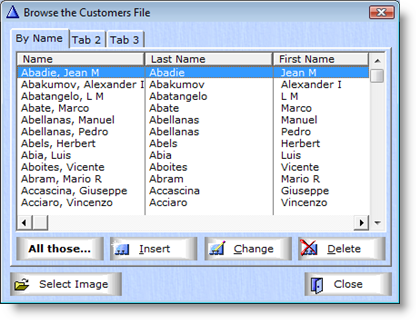
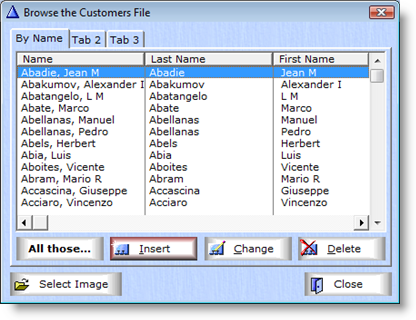
Browse with Magic Buttons. Note that the Insert button is different
Button images supplied with the Magic Buttons

Wallpapers supplied with the Magic Buttons

Demo window with buttons themed with Magic Buttons
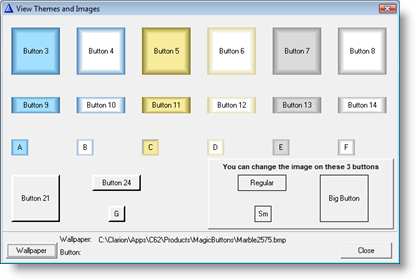
Demo window with buttons, different buttons in the lower right corner
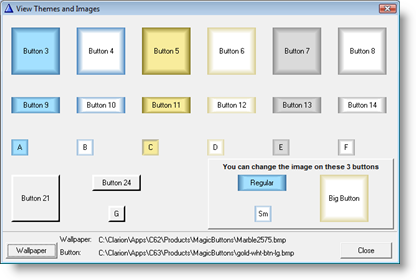
Demo window with different wallpaper
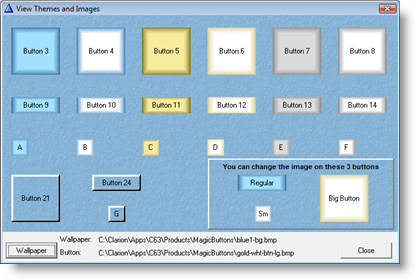
Demo window with different wallpaper
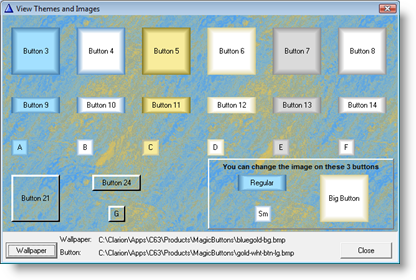
Templates
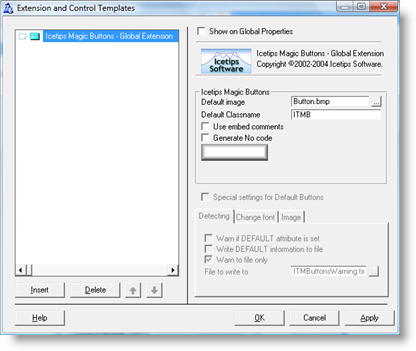
Global Extension
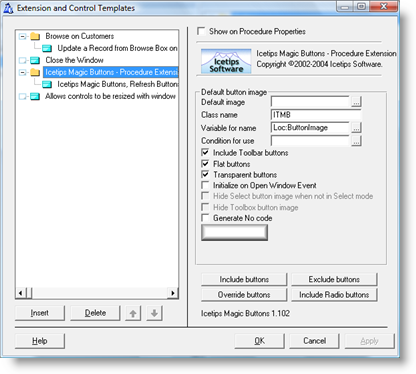
Procedure Extension template
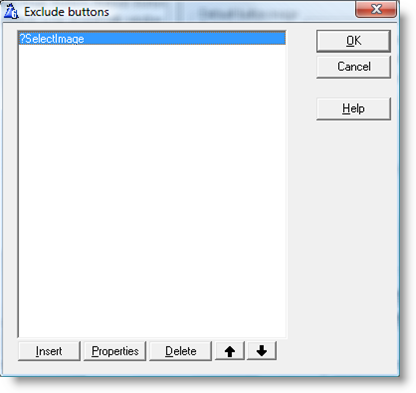
Exclude buttons
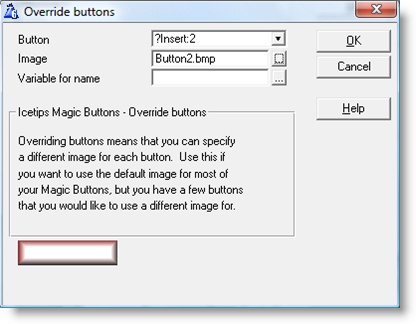
Override buttons
|
|
|